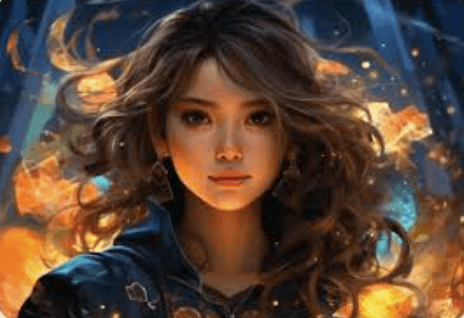
The global obsession with anime culture has sparked an unprecedented demand for fresh, original character designs. From manga artists and indie game developers to light novel authors and VTubers, creators are constantly searching for ways to bring their unique characters to life. However, translating a concept from a mental draft into professional-grade line art and vibrant cel-shading takes years of artistic training and hundreds of hours of manual sketching.
Artificial intelligence has completely rewritten the rules of character concept design. Today, creators can use advanced generative models to instantly prototype, iterate, and refine complex anime aesthetics. By using a modern workflow, anyone can transition from a simple text prompt to a production-ready character sheet in a fraction of the traditional time.
From Concept Art to Production-Ready Assets
In the traditional pre-production pipeline, designing a single protagonist requires sketching dozens of variations. Artists have to test different hairstyles, eye shapes, costume motifs, and color palettes to see what fits the character’s personality. This phase is incredibly time-consuming and often becomes a bottleneck for indie studios.
AI has streamlined this entire creative cycle. Instead of drawing from scratch, creators can now input detailed structural prompts to generate high-fidelity concepts instantly. If you are looking to build a recurring cast or design a unique protagonist, using a specialized anime AI generator allows you to experiment with various eras—from classic 90s retro aesthetics to modern, highly polished digital styles—with absolute ease.
The Secret to Maintaining Character Consistency
The single biggest challenge when using AI for storytelling, webtoons, or gaming is consistency. A character needs to look identical whether they are fighting in an action sequence, crying in a dramatic scene, or wearing an alternative outfit. If their eye shape, hair volume, or costume details change between frames, the audience immediately loses immersion.
To solve this, advanced creators use a specific multi-layered canvas and image-to-image (Img2Img) workflow rather than relying on raw text alone.
[ Text-to-Image Ideation ] ➔ [ Select Base Hero Pose ] ➔ [ Image-to-Image Variation ] ➔ [ Canvas Inpainting for Expressions ]
By feeding an approved base character design back into the AI system as a reference asset, you lock down the core facial identity. From there, you can adjust camera angles, apply new background elements, or inject complex magical effects. Utilizing dedicated illustration tools makes it incredibly simple to blend high-quality fantasy art elements, complex line art details, and dynamic rim lighting into your original designs without breaking character model integrity.
The Anatomy of a Perfect Anime Prompt
To get professional-grade results from an AI generator, you cannot just type “anime boy with blue hair.” The output will be completely generic. Instead, professional prompt engineers follow a strict structural pattern:
The Professional Prompt Formula:
[Character Identity] + [Pose & Camera Angle] + [Era/Art Style] + [Lighting Blueprint] + [Background & Environment] + [Mood/Atmosphere]
High-Converting Prompt Example:
- “Teen mage heroine, 3/4 view close-up, modern cel-shaded anime style, golden-hour rim lighting, floating mystical library background, hopeful mood, clean line art, hyper-detailed iridescent eyes.”
Comparing Workflows: Traditional vs. AI-Assisted Design
| Design Phase | Traditional Method | AI-Assisted Workflow |
| Initial Ideation | 4 to 8 hours of rough sketching. | Under 30 seconds via text-to-image. |
| Expression Sheets | Manually re-drawing the face for each emotion. | Layered inpainting and local adjustments. |
| Color Iteration | Manual masking and digital painting layers. | Prompt swapping (e.g., changing “crimson jacket” to “emerald coat”). |
| Asymmetrical Fixes | Tedious structural reshaping and redrawing. | Eraser brush and local image-to-image regeneration. |
Crucial Use-Cases Across the Creative Industry
The impact of AI character design extends far across the media landscape:
1. Webtoons and Manga Storyboarding
Comic creators use AI to generate rapid layouts and character position concepts. This allows them to focus heavily on pacing, dialogue, and panelling, speeding up production schedules drastically so they can publish weekly chapters without burnout.
2. Indie Game Development
Visual novels and RPGs require massive amounts of character assets, including expressions, outfits, and profile badges. AI allows developers to generate high-resolution character sprites and match them perfectly to the UI theme of the game on a shoestring budget.
3. VTuber and Streamer Branding
Aspiring content creators can prototype their virtual avatars down to the finest detail before sending the concepts to a 2D or 3D live rigger. This ensures they get exactly what they want without wasting money on endless revisions from physical commission artists.
Future Outlook: Fully Dynamic Canvas Workflows
As generative AI engines advance throughout 2026, the workflow is shifting away from simple “one-click” generations and moving toward fully collaborative, interactive canvases. Creators can now isolate individual sections of an anime image—like adjusting a hand gesture, changing a weapon design, or scaling a magic spell effect—as independent, editable layers. This surgical control ensures that the final artwork aligns perfectly with the creator’s exact narrative vision, making AI a true artistic co-pilot.
See also: Staircase Elements That Improve Both Safety and Visual Appeal in Your Home
Frequently Asked Questions (FAQs)
How do I fix bad hands or awkward poses in AI anime art?
Instead of regenerating the entire image, you should use a canvas tool with an “Inpaint” or “Restoration” brush. Simply mask out the problematic hand or limb, write a highly descriptive corrective prompt (like “relaxed open hand, detailed fingers”), and let the AI fix that specific area while leaving the rest of your character completely untouched.
Can I create an entire, original cast of characters that look like they belong in the same show?
Yes. The trick is keeping your style parameters and quality cues completely identical across your prompts (e.g., using the exact same keywords like “modern Kyoto animation style, crisp line art, flat cell-shading”). Additionally, using the same master lighting profile across all character generations ensures they feel unified.
Is AI-generated anime art usable for commercial indie games?
Generally, yes, but it completely depends on the software platform’s specific licensing agreement. Always review the terms of service of the AI tool you are operating to ensure they grant full commercial usage rights for generated outputs before selling your game or comic.
What is the “uncanny valley” in anime art, and how do I avoid it?
In anime art, the uncanny valley usually presents as weirdly realistic skin textures mixed with gigantic anime eyes, or asymmetric facial structures. You can easily avoid this by including explicit art-style keywords in your prompt, such as “clean vector lines,” “cel-shaded,” or “flat colors,” which tell the model to avoid hyper-realistic photorealism.